

How To Set A Cron Job In TrueNAS (the easy way)


In this article we are going to create a new cron job in TrueNAS using the web interface.
What is a "Cron Job"? It's a time-based job scheduler in Unix-like computer operating systems. Users who set up and maintain software environments use cron to schedule jobs (commands or shell scripts) to run periodically at fixed times, dates, or intervals.
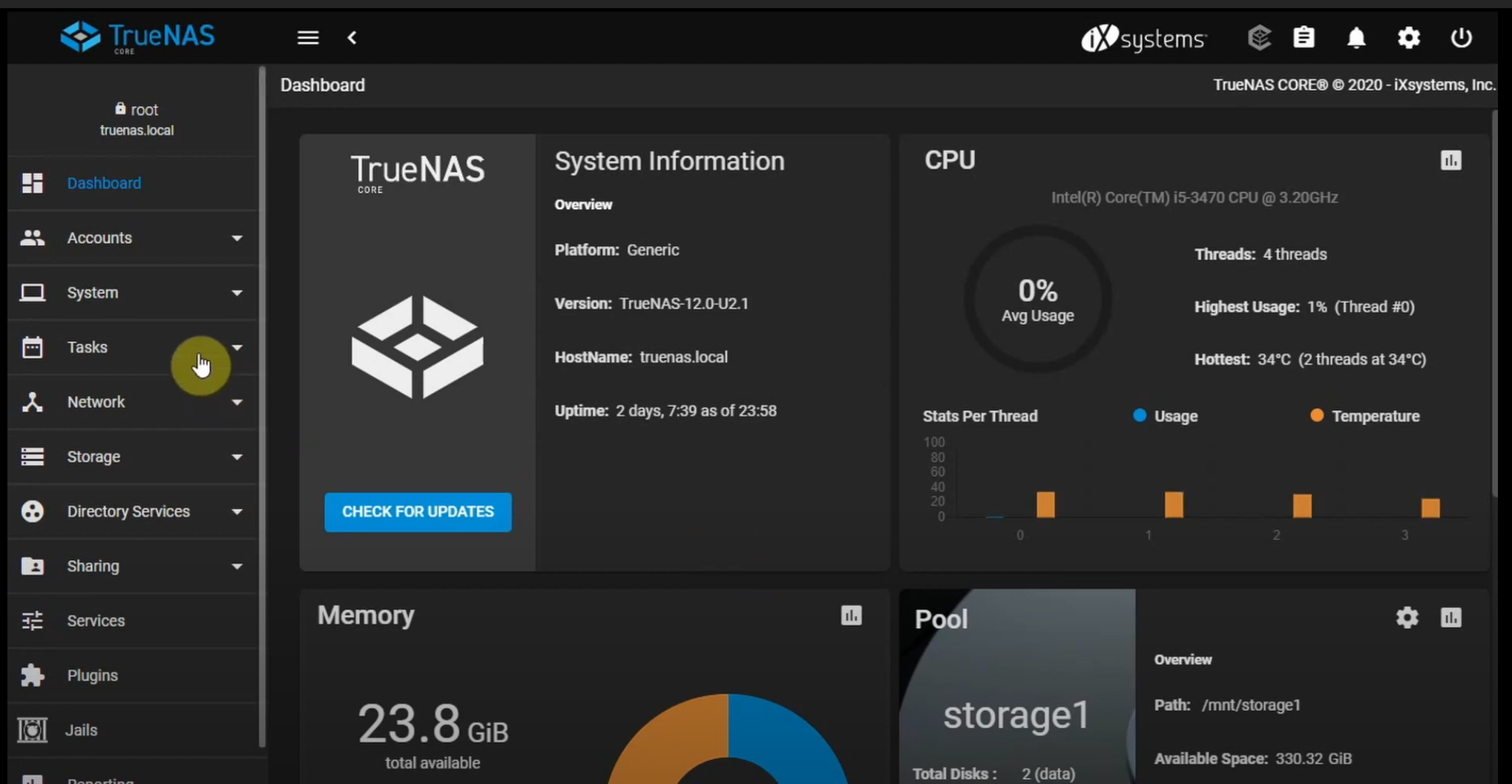
So to create our first job we need to open the web panel. Go to your TrueNAS IP address (for example, 192.168.0.7) and you will see the login dashboard (after you log in):
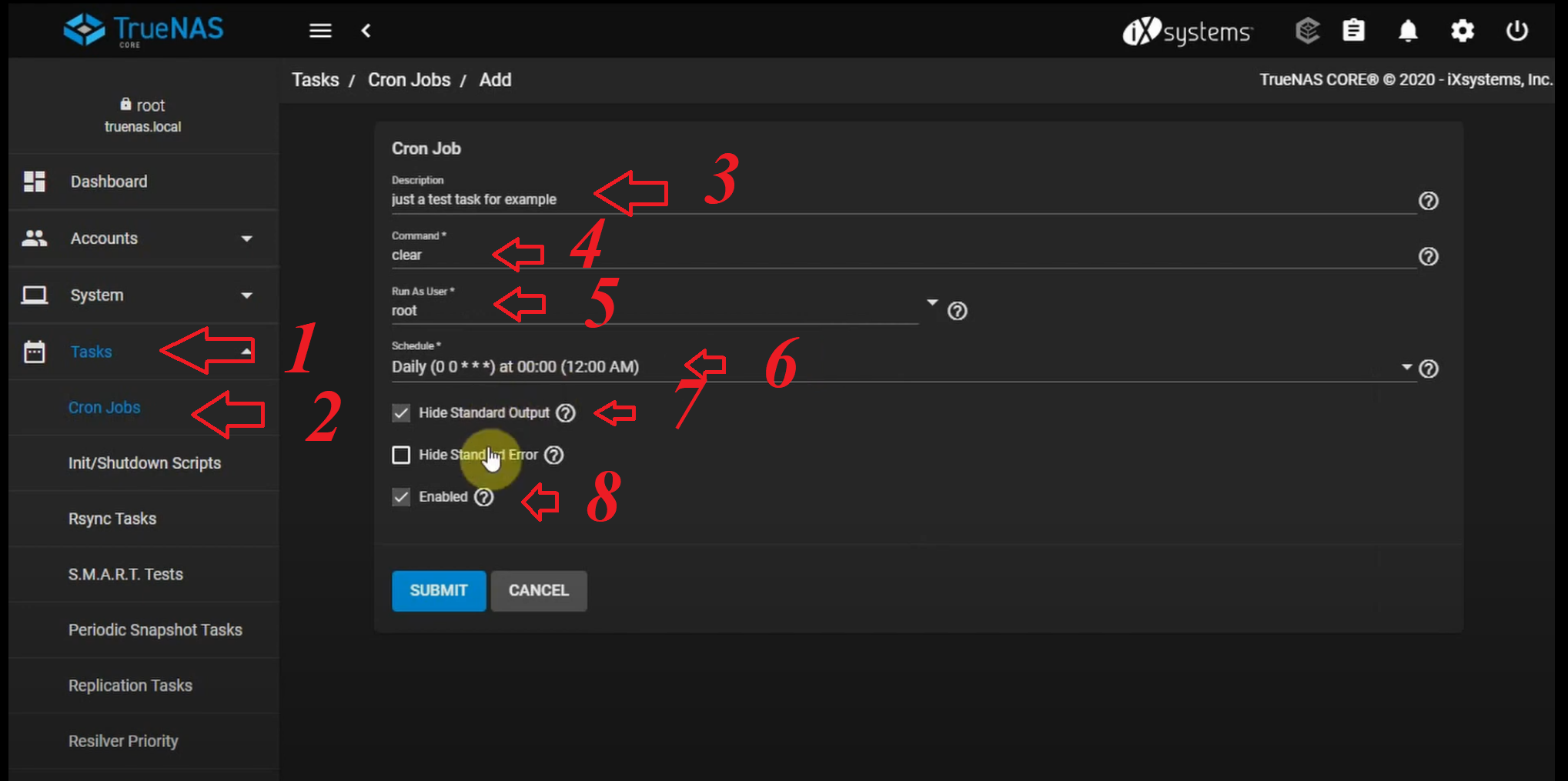
Now go to Task -> Cron Jobs -> Add.
There you have to fill a Job Description (which can be any name you like). Then enter the command or script you want (in this case, we're running clear as an example). Next, select the user (in our case root), and set the time of your schedule (for example, daily). There are two additional options: hide the standard output (so we don't get errors) and ensure the job is Enabled. After that, click Submit.
You can run the command to test using the Run Now option.
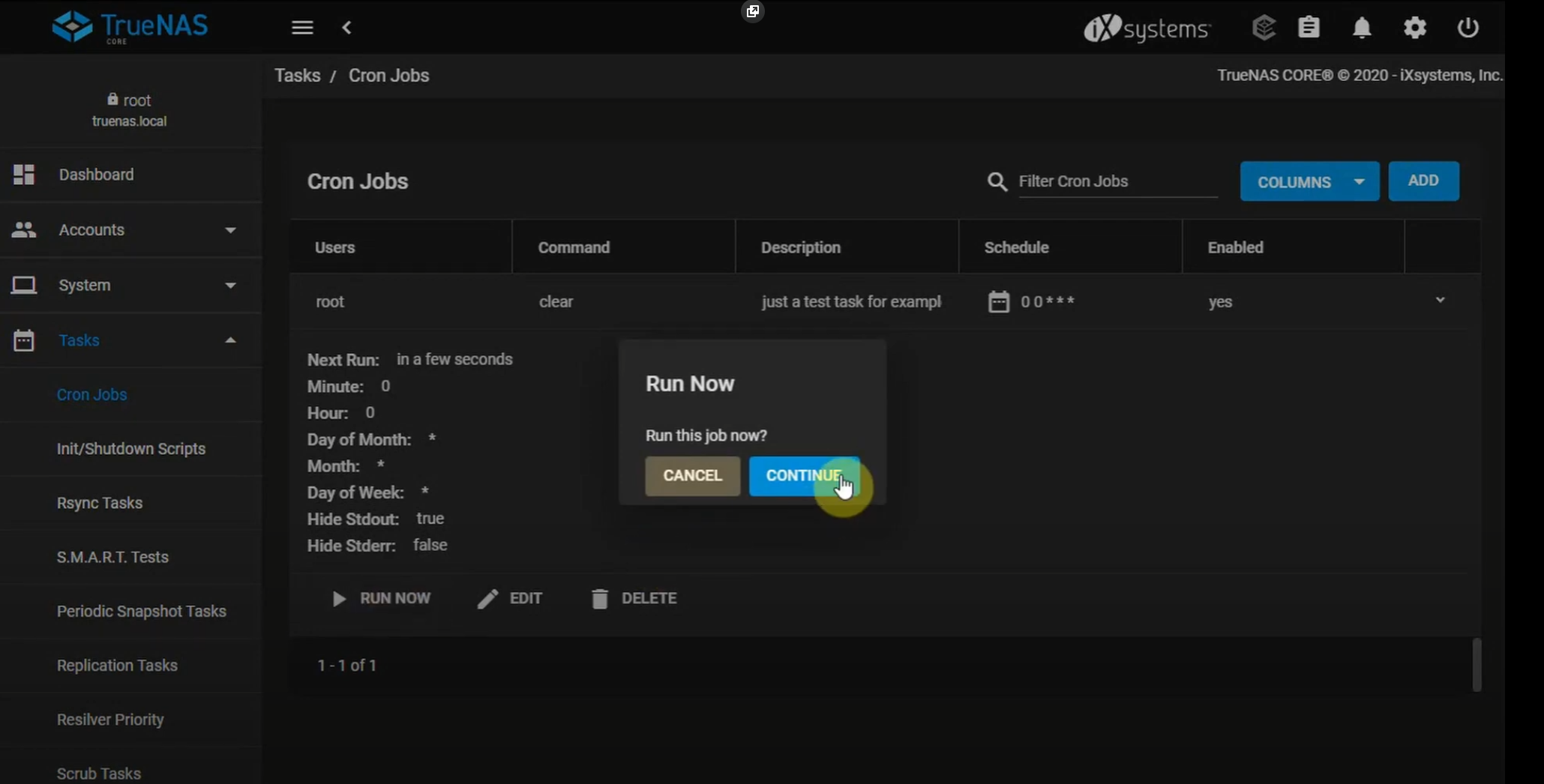
Run now a cron job in TrueNAS
Here is a quick video on how to do this in 3 easy steps:
Quick video tutorial to run a cron job in TrueNAS
If so, please rate this page with the stars below and subscribe to our YouTube channel.